Remove Advertising
Every Proxy is free to use and supported by advertisements. If you would like to support the development of the app and enjoy an ad-free experience, we offer a one-time premium upgrade.
Lifetime Purchase
We have recently transitioned from a subscription model to a Lifetime Purchase.
- No Recurring Fees: Pay once and enjoy ad-free usage forever.
- Support Development: Your purchase helps us maintain the servers and develop new features.
- Automatic Recovery: Google Play keeps track of your purchase. If you switch devices, simply ensure you are logged into the same Google account, and the ads will be removed automatically.
How to Purchase
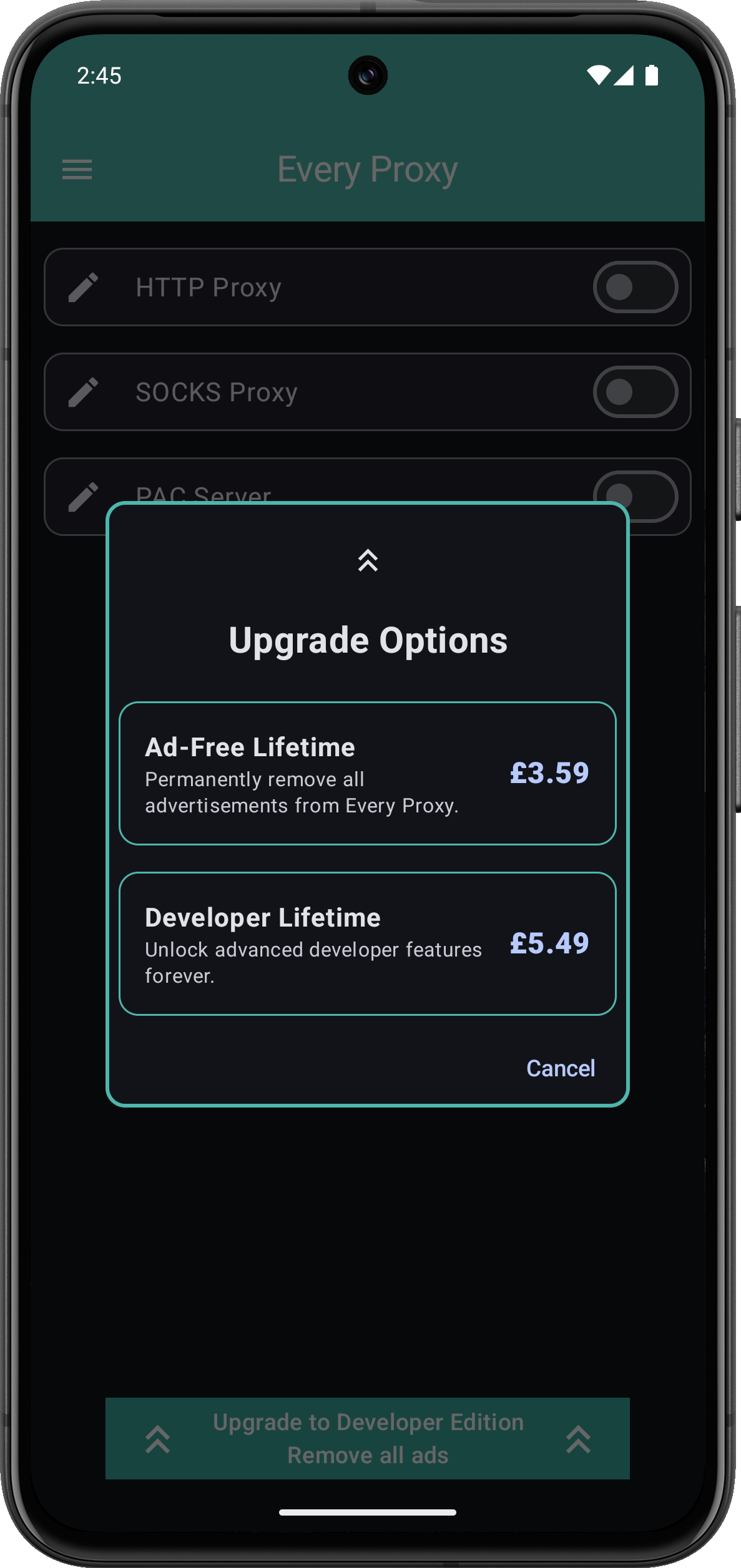
- Open Every Proxy.
- Tap the Menu icon (three horizontal lines).
- Select Upgrade Options.
- Follow the instructions to complete your one-time purchase.
Troubleshooting Purchases
If you have already purchased the lifetime upgrade but still see ads:
- Verify Your Account: Ensure your Android device is logged into the Google Play Store with the exact same email address used for the original purchase.
- Restart the App: Close Every Proxy completely and reopen it while connected to the internet. This allows the app to verify your license with Google Play.
- Clear Play Store Cache: Occasionally, the Google Play Store app itself gets stuck. Going to Settings → Apps → Google Play Store → Storage → Clear Cache can help force a license refresh.
What happened to the subscription?
If you were a previous monthly or yearly subscriber:
- Current Subscribers: You will continue to have ads removed for the duration of your current billing period.
- New Users: You will only see the option for the Lifetime Purchase. We believe this is a much better value and provides a simpler experience for our users.