PAC Server
Every Proxy includes a built-in Proxy Auto-Configuration (PAC) server. It hosts a small script that tells your client devices (like an iPhone, Mac, or PC) exactly how to route their traffic through your Android proxy automatically.
The PAC Script Logic
The PAC server provides a proxy.pac file to your clients. This file contains a specific logic chain that tells the client which proxy to prioritize.
The Routing Chain
When a client uses the PAC file, it follows this fixed priority for every single request:
- SOCKS Proxy (Primary)
- HTTP Proxy (First Fallback)
- DIRECT (Final Fallback if the Android device is offline)
Technical Script
The PAC file served by Every Proxy always returns this function, with the <IP> and <Port> variables automatically populated by the app:
function FindProxyForURL(url, host) {
    return "SOCKS <device-ip>:<socks-port>; PROXY <device-ip>:<http-port>; DIRECT";
}
Why Use a PAC Server?
-
Automatic Configuration
Instead of entering IP and Port details for both SOCKS and HTTP separately, you simply provide the client one URL.
-
Redundancy & Failover
If an application struggles with the SOCKS protocol, it will automatically fall back to the HTTP proxy without you having to change any settings.
-
Ideal for iOS & macOS
Apple devices have excellent native support for "Automatic Proxy Configuration" URLs, making this the smoothest way to connect iPhones and iPads.
How to Set It Up
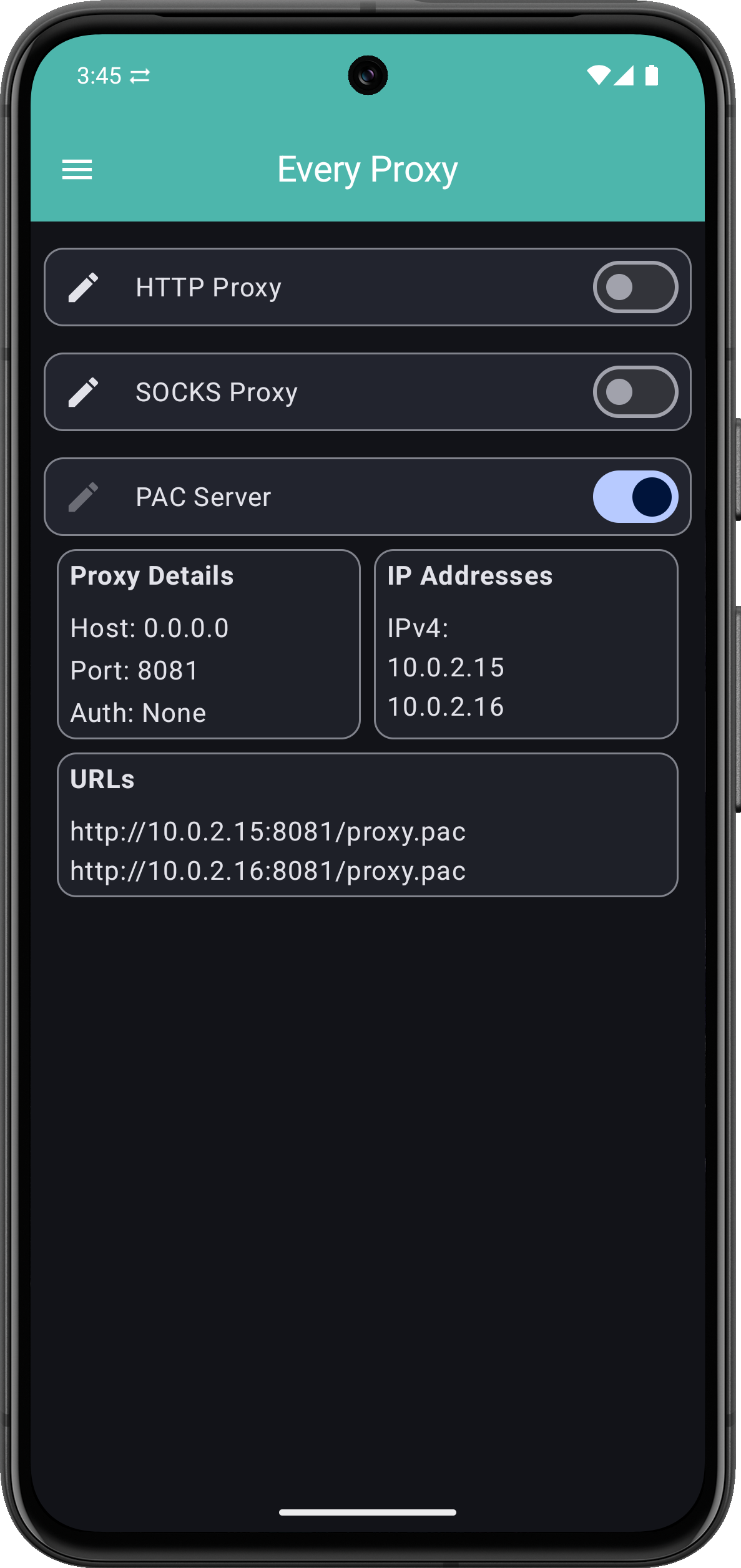
To use the PAC server effectively, you should have all three services running.
- Start Services: Enable the SOCKS Proxy, HTTP Proxy, and PAC Server in Every Proxy.
- Note the URL: The URLs for the PAC Server are displayed (e.g.,
http://192.168.1.50:8081/proxy.pac). - Configure Client:
- Windows: Settings > Network & Internet > Proxy > Use setup script.
- macOS/iOS: Network Settings > Proxies > Automatic Proxy Configuration.
- Android: Wi-Fi Settings > Modify Network > Proxy > Auto-Config.
Important Considerations
- Static Logic: The PAC file provided is "one-size-fits-all." It does not contain complex rules to route specific websites (like
google.com) differently than others. - No Traffic Forwarding: The PAC Server does not handle your data traffic. It only serves the "instruction manual." The actual data still flows through the SOCKS or HTTP ports.
- Local Access: Your client must be able to reach the PAC URL over the local network to download the instructions. If the PAC server is unreachable, the client will fall back to a DIRECT (unproxied) connection.
Authentication
If you have enabled Basic Authentication on your HTTP or SOCKS proxies, your client browser will still prompt you for those credentials. The PAC file only handles the connection path, not the login details.